
Install ZPlayCine on your Android
Android phone or tablet. Takes less than 2 minutes.
Download the appAbout 105 MB
Already have a test version of ZPlayCine? Uninstall it first. This version is signed differently and Android won’t install over it.
1Download the file
Tap Download the app. If the browser warns the file may be harmful, choose Download anyway.
2Open the downloaded file
Tap the “download complete” notification, or open the file in Downloads.
3Allow the installation
The first time, Android asks permission to install apps from this source. Turn on Allow from this source and go back.
4Tap Install
When it finishes, tap Open and sign in with your playlist.
On a computer?
Point your phone’s camera at the code to download it straight to the phone.
get.zplaycine.com
On Android TV and Google TV
TCL, Philips, TV boxes and others. Remote control only.
What you need: the free Downloader app from the TV’s Play Store. The permission (steps 5 and 6) only shows up the first time. Already have a test version of ZPlayCine on the TV? Uninstall it first.
1Install Downloader
In the TV’s Google Play Store, search for Downloader (the orange icon, by AFTVnews) and choose Install. It’s free.
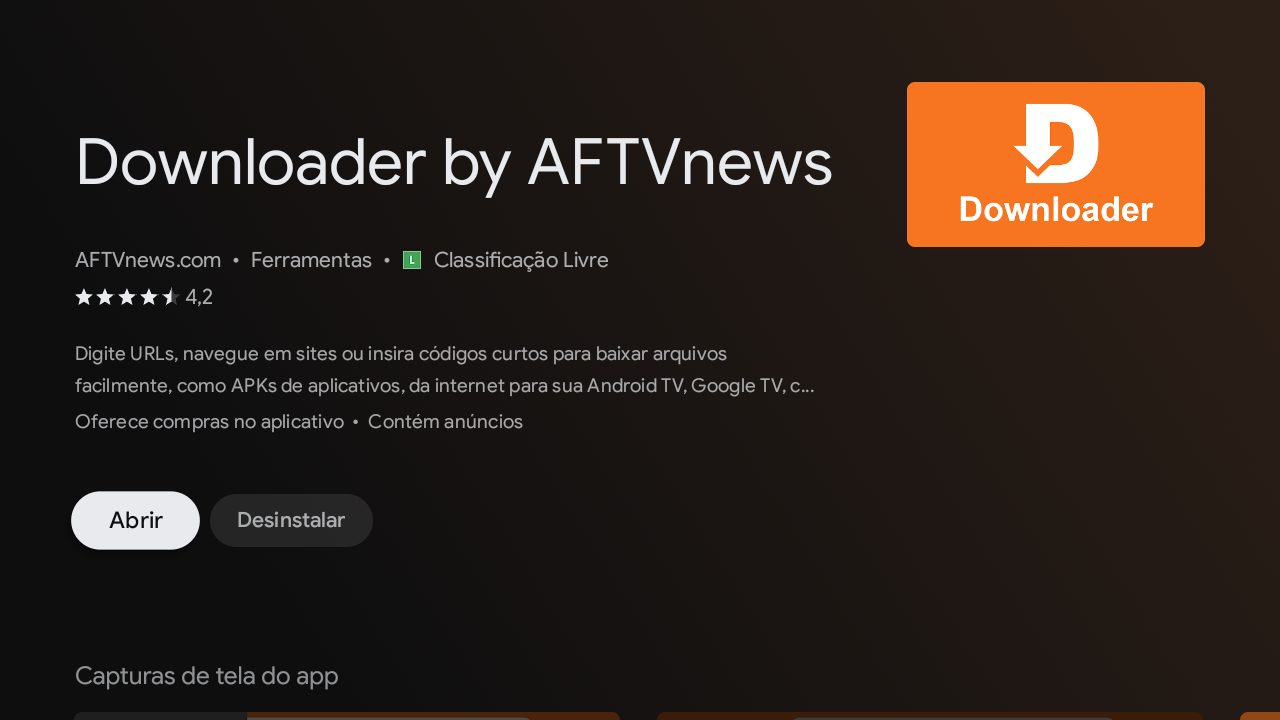
2Open Downloader and click the address field
It’s the bar at the top of the screen that says “Click here to enter a URL”.
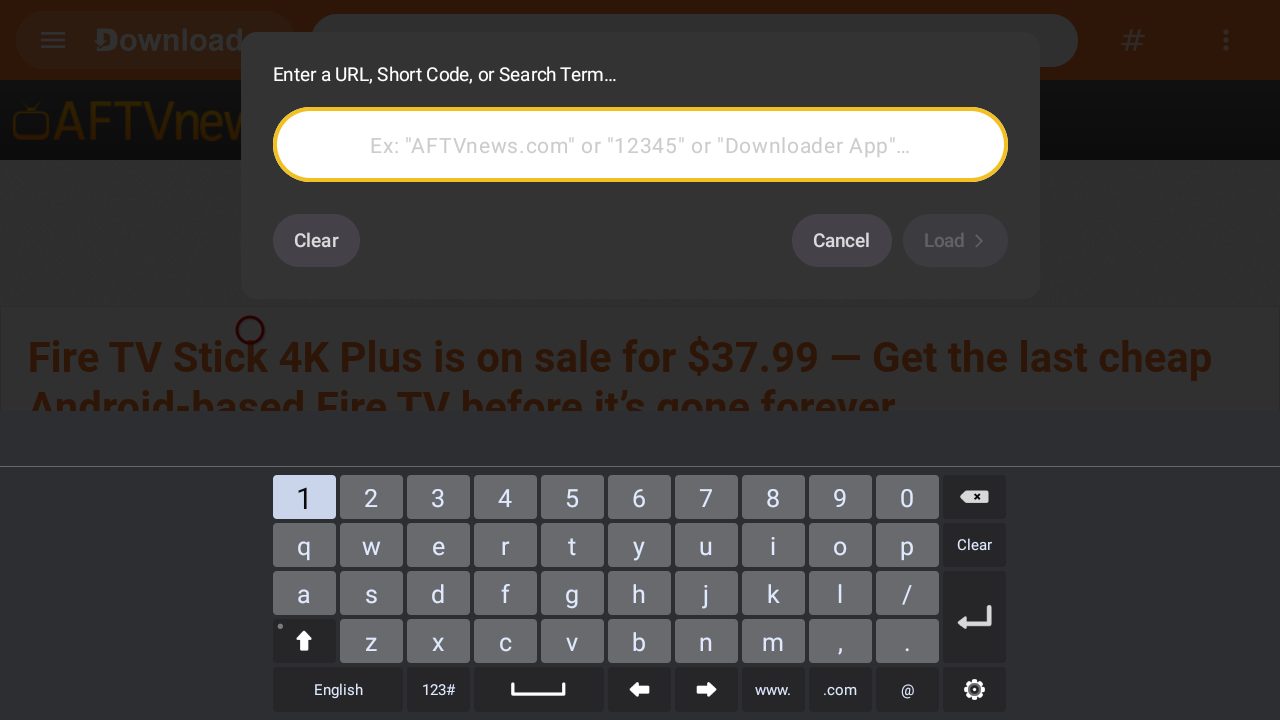
3Type the address
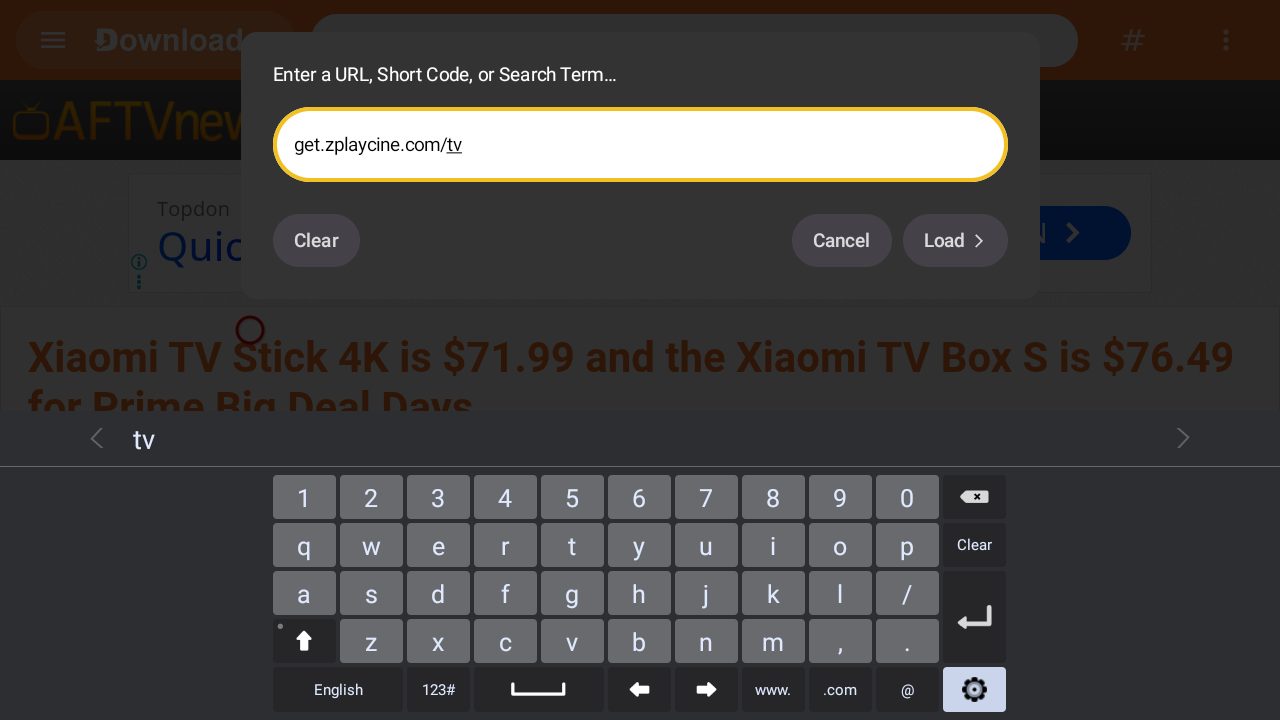
All together, no “www” and no spaces. Then choose Load.
get.zplaycine.com/tv
or just the code
4308897
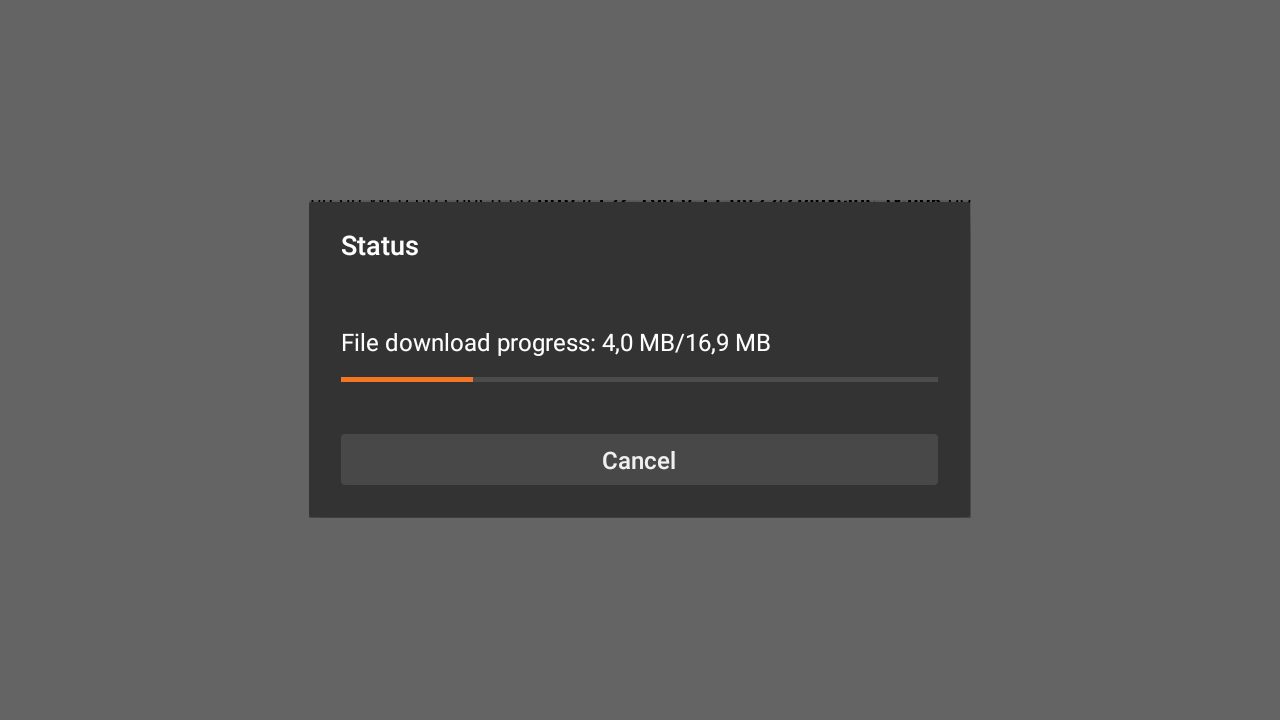
4Wait for the download
It takes a few seconds, depending on your internet.
5The first time, the TV asks for permission
You’ll see “not allowed to install unknown apps”. Choose SETTINGS.
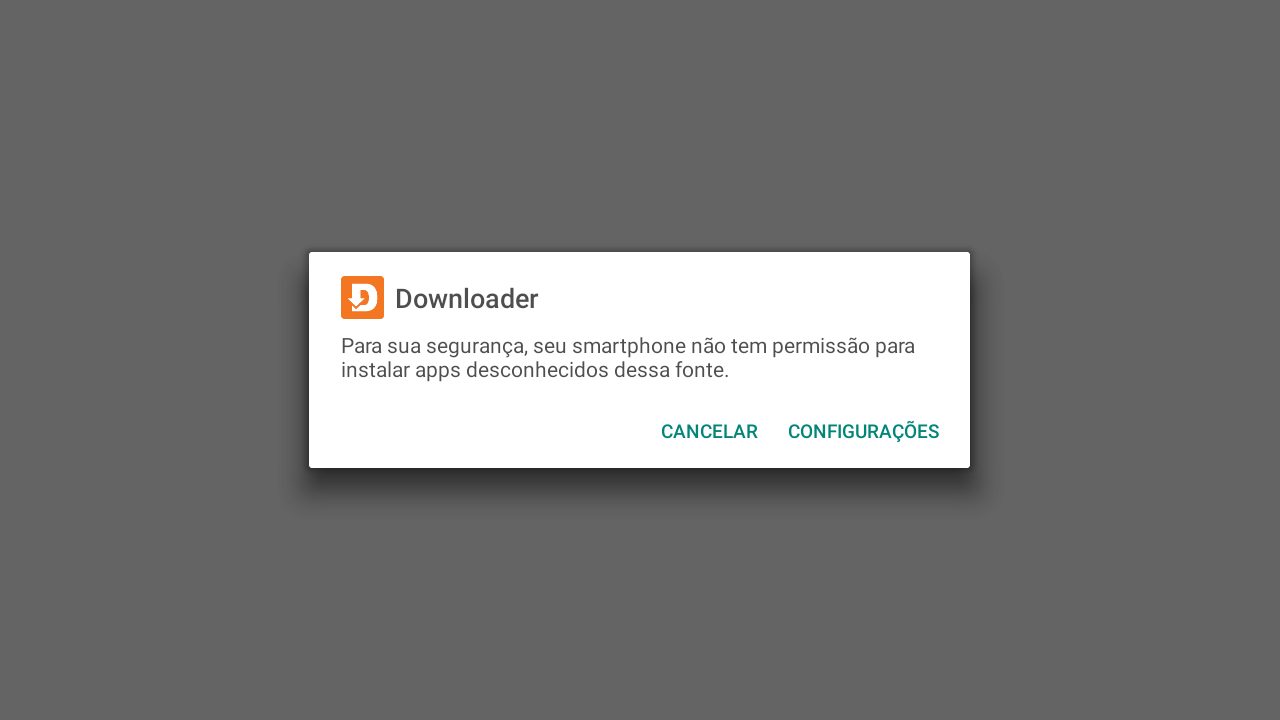
6Turn on Downloader and go back
Set Downloader to Allowed and press Back on the remote. If the install screen doesn’t show up, open Downloader and type the address again.
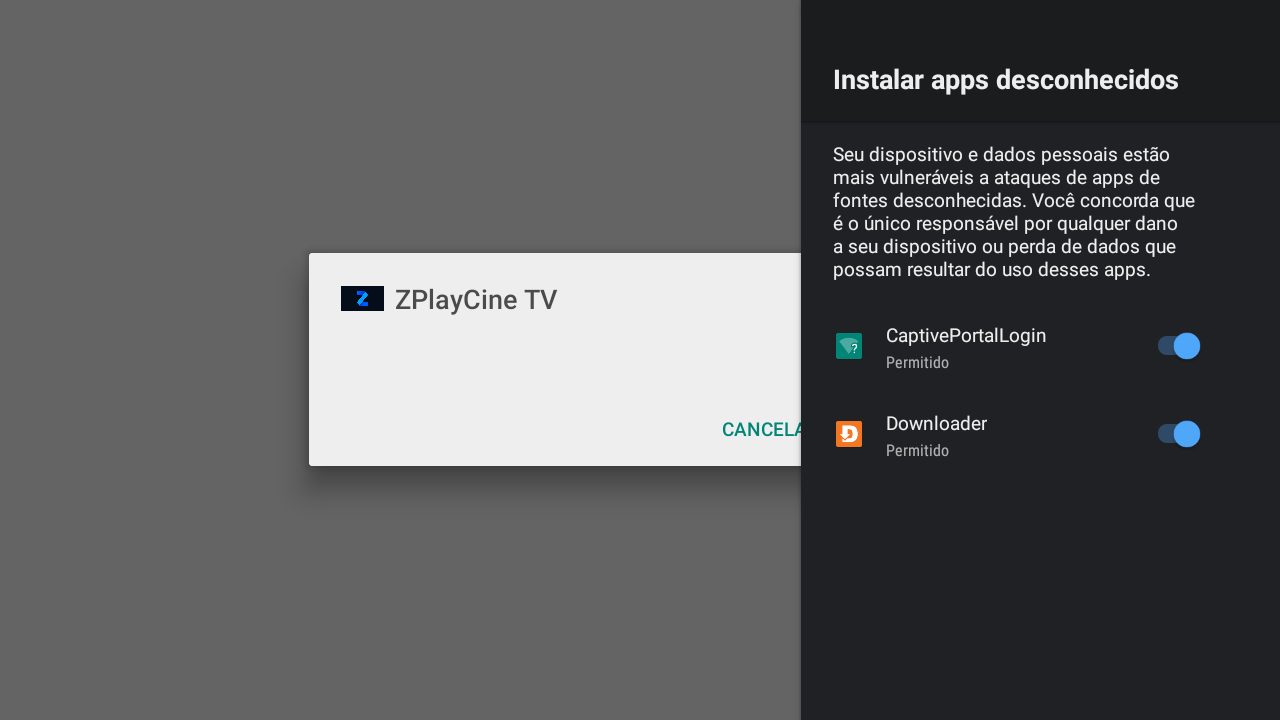
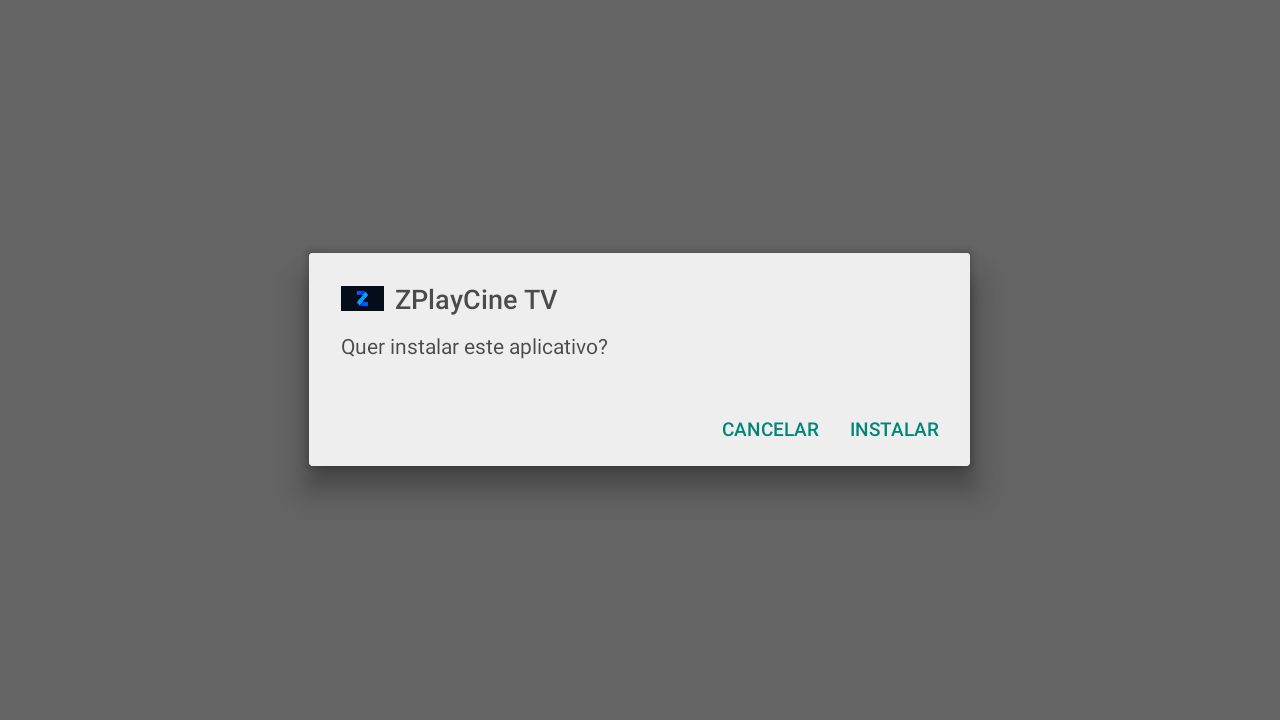
7Choose Install
Go to INSTALL and press OK.
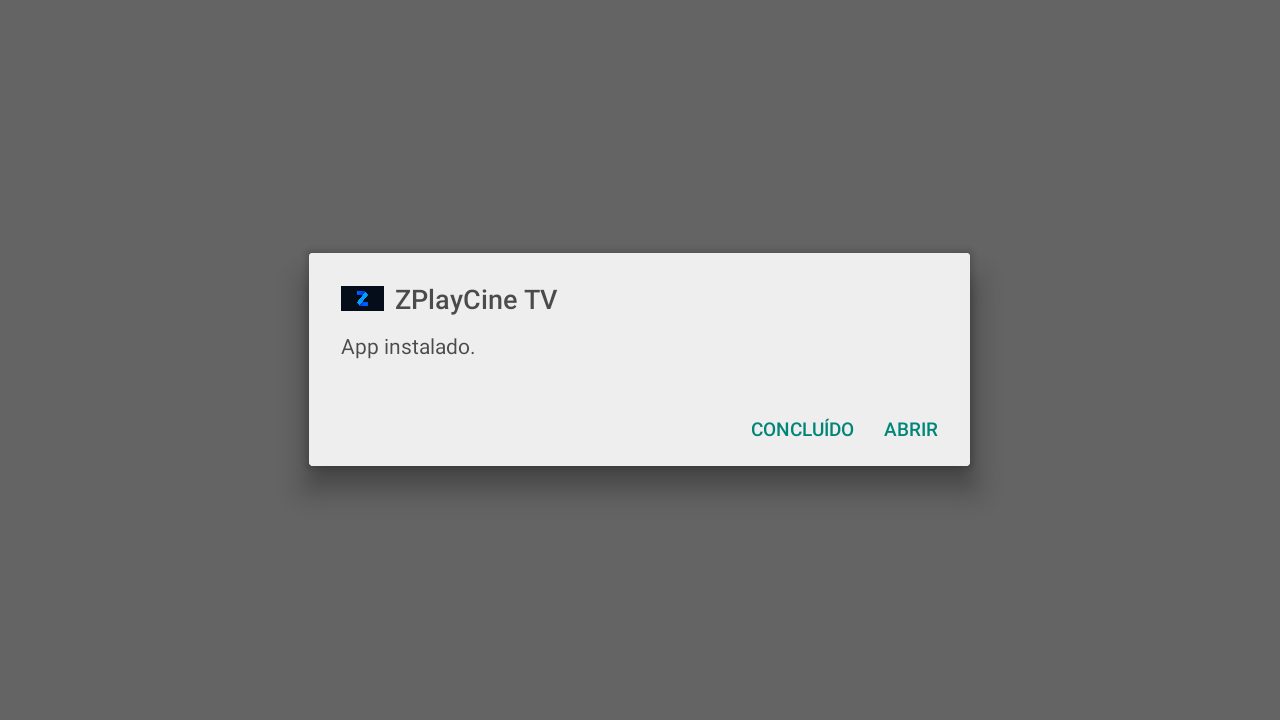
8Open the app
Choose OPEN. If Downloader asks to delete the downloaded file, choose Delete: it frees up space on the TV.
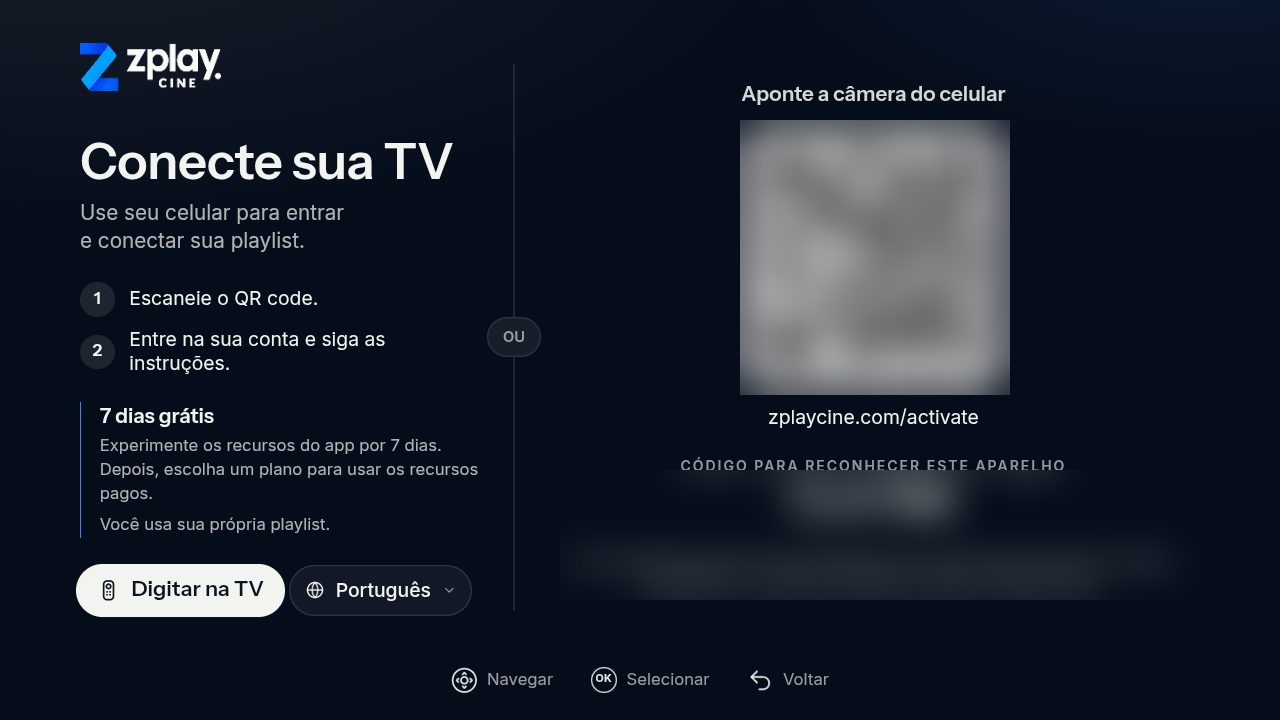
9Connect your TV
Point your phone’s camera at the code on the screen, or choose Type on TV, and sign in with your playlist.
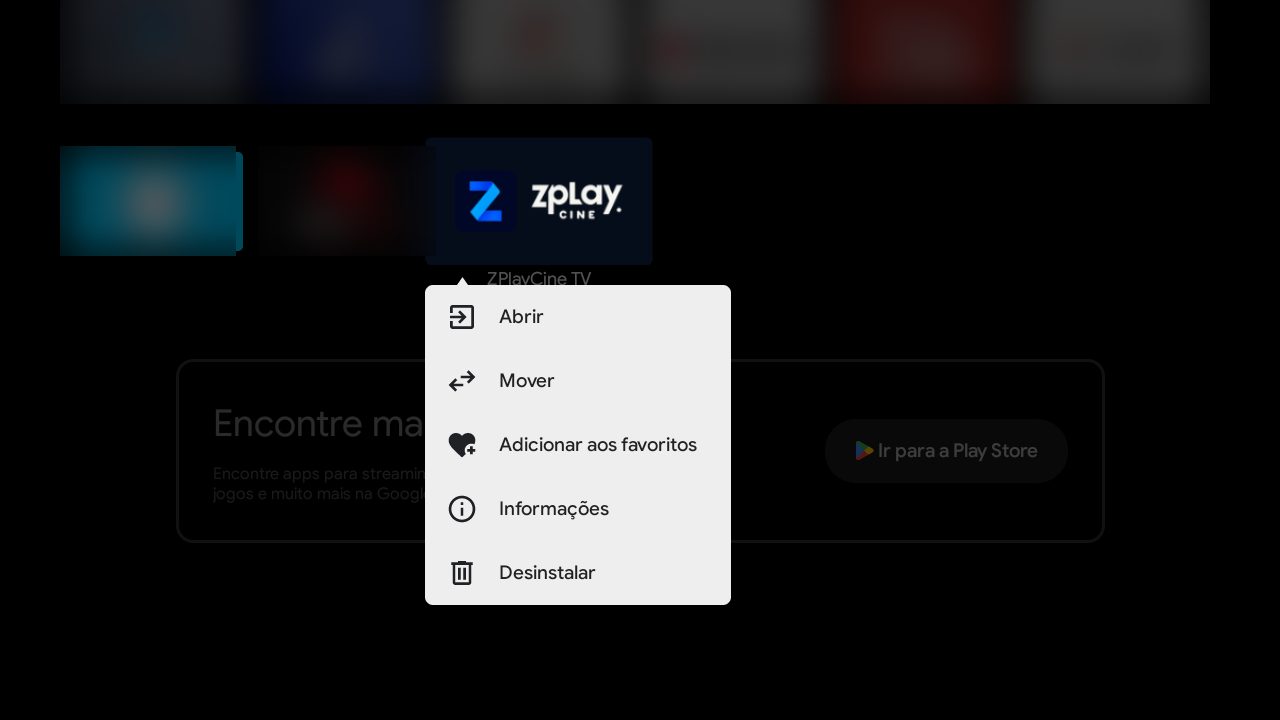
10Add ZPlayCine to favorites
On the TV home screen, go to Apps, scroll to ZPlayCine TV and hold OK until the menu opens. Choose Add to favorites.
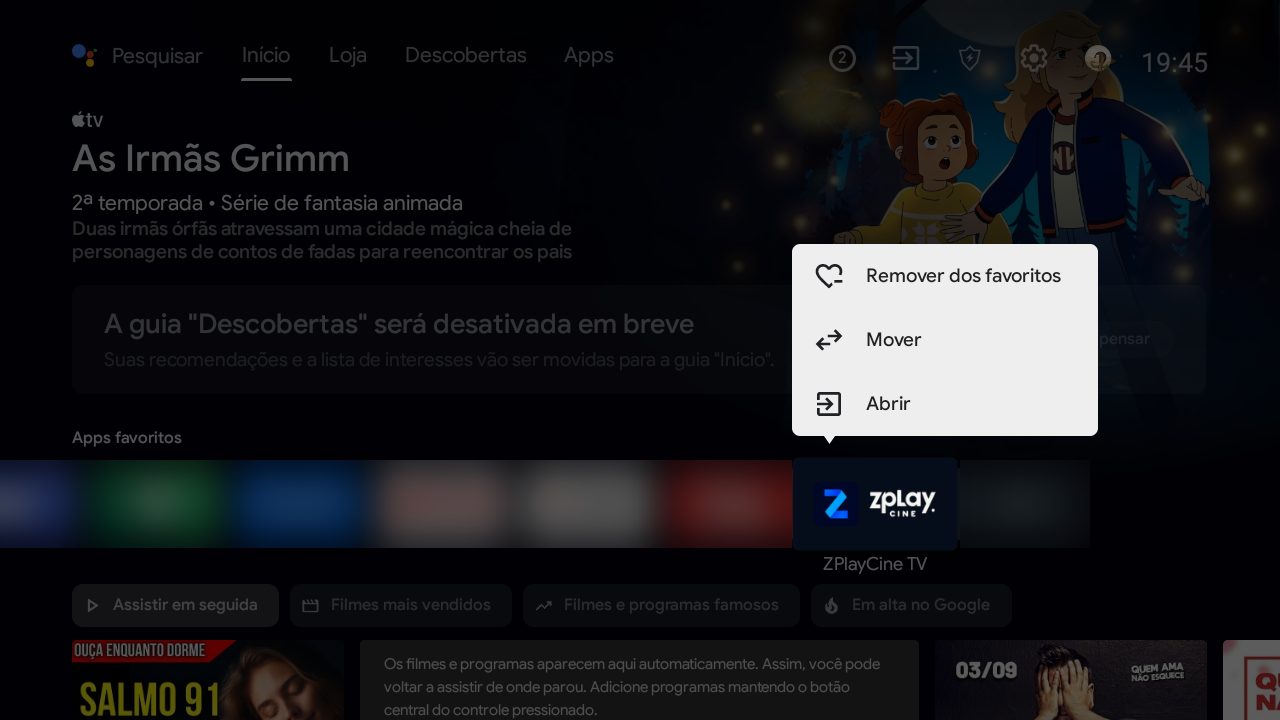
11Bring ZPlayCine to the front
It goes to the end of the Favorite apps row. Hold OK on it, choose Move, press ‹ to the start and press OK.
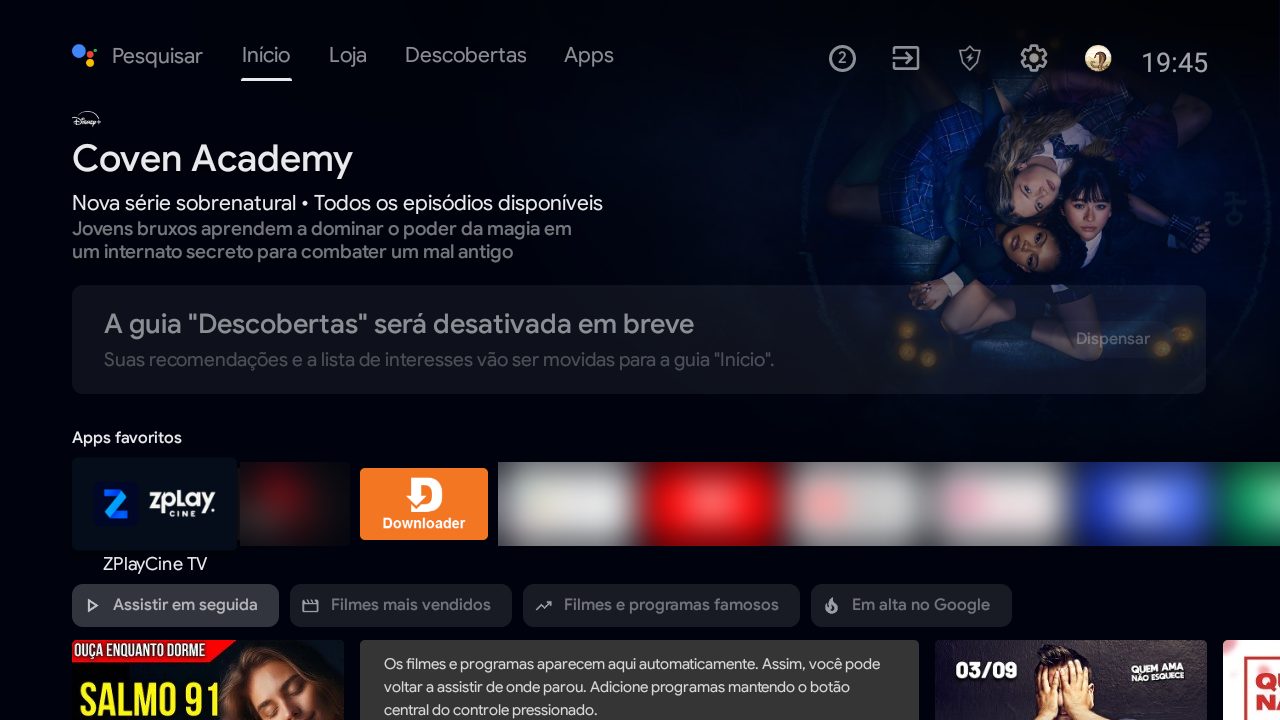
12Done!
ZPlayCine is first in line as soon as you turn on the TV.
Seeing “App not installed”? It’s almost always lack of space. Uninstall an app you don’t use (Settings → Apps) or delete old files in Downloader (menu ☰ → Files) and try again.